
Best Email Productivity App for Case-Driven Teams
Many email tools promise faster replies. MailTrace is different: it improves productivity by making complex email work easier to understand, easier to review, and easier to move forward.
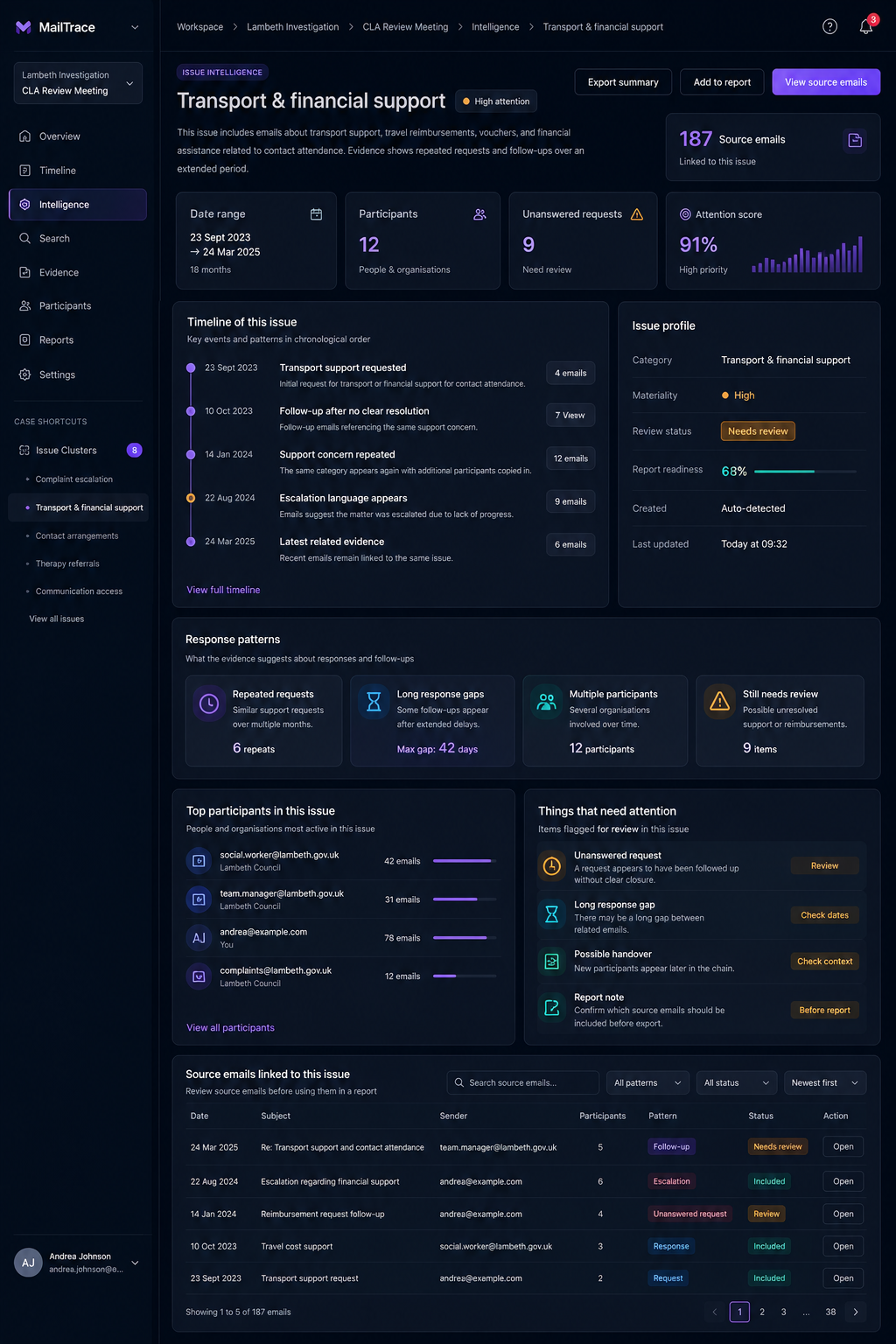
For many teams, productivity does not mean typing faster. It means finding the right message quickly, understanding what happened before a decision was made, spotting who is involved, and exporting a clear record without rebuilding the work manually. That is where MailTrace fits.
Why ordinary inbox productivity tools fall short
Traditional email productivity software is built around triage. It helps you clear your inbox, schedule replies, or automate repetitive drafting. Those features are useful, but they break down when the work is case-based, evidence-heavy, or spread across long threads with several participants and attachments.
In that context, teams need structure. They need to group related messages, rebuild chronology, isolate relevant people, and preserve source context. Productivity comes from clarity, not only speed.
What makes MailTrace productive
- Issue grouping keeps related emails together so the user is not reconstructing the same context repeatedly.
- Timelines show sequence, which reduces time spent deciding what happened first.
- Participant views help users understand who is central to the case and who entered later.
- Evidence and attachment tracking keep the supporting material connected to the originating emails.
- Exports reduce manual handoff work when findings need to be reviewed elsewhere.
Productivity is not just inbox speed. For serious teams, it is the ability to move from raw email to a defensible understanding quickly.
Who benefits most
MailTrace is especially useful for operations teams, legal and compliance reviewers, founders, and any group that regularly has to explain an email-driven situation to someone else. If your work ends with "send a report," "show the timeline," or "prove who said what," then your productivity bottleneck is usually structure.
Why this matters for end users
End users do not need to invent their own filing system or maintain spreadsheets beside the inbox. They can work inside one environment that already understands the practical units of review: issue, timeline, participant, evidence, response gap, and report.
That is the core reason MailTrace can be the best email productivity app for case-driven teams: it gives users the structure their work actually needs.
Continue Reading