
Grounded Q&AAsk about selected evidence
MAILTRACE LEGAL · BUSINESS PLANS
Turn scattered email evidence into a clearer case.
Bring correspondence into one place. Ask questions against your sources, organise key facts, and prepare traceable evidence for human review.
Source-linked answers Reviewable AI extraction Private case workspace
Legal is planned for Business plans above £100/month. £109 pricing and AI credits remain proposals until backend entitlement and billing activation.
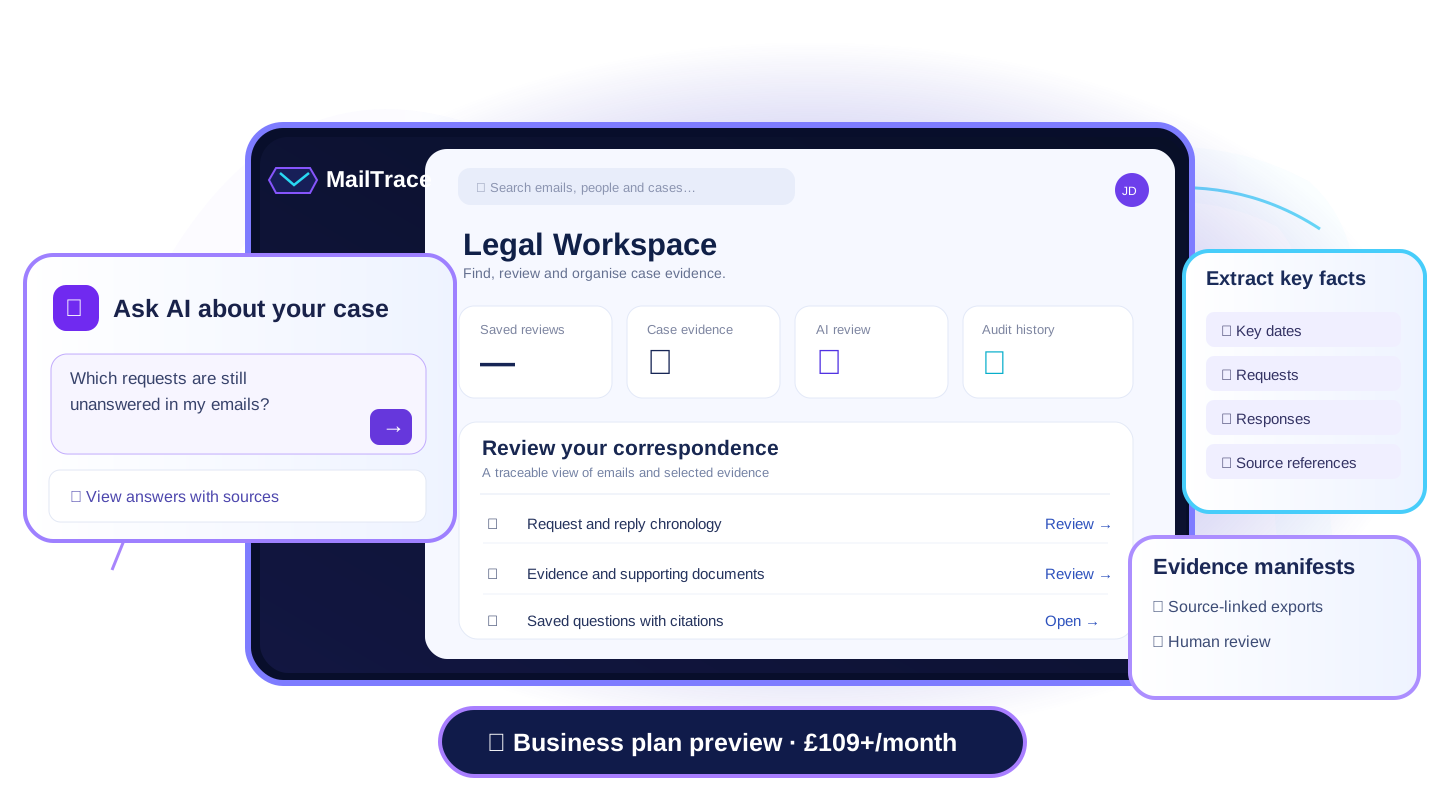
Review gridsExtract dates and responses
Human reviewCheck every AI finding
Traceable exportsPreserve source references
FROM CORRESPONDENCE TO CLARITY
How MailTrace Legal works
Four connected steps using your existing MailTrace cases, without losing sight of the original records.
01
Bring in your correspondence
Connect an authorised email inbox and choose which messages and documents belong in your case.
02
Ask grounded questions
Use the existing case Q&A workflow to ask about your evidence, with source citations and explicit AI consent.
03
Review extracted information
Organise requested actions, dates and replies in evidence-linked review grids. You decide what is relevant.
04
Keep a traceable record
Inspect saved findings, download JSON evidence manifests and review the account-scoped audit trail.
LEGAL AI, WITH SOURCE CONTEXT
Understand the correspondence behind the question
Bring the relevant messages together and move from a question to a reviewable answer—not an untraceable AI conclusion.
SOURCE-GROUNDED CASE Q&A
Ask what happened. See what supports the answer.
MailTrace's existing case Q&A interface uses a saved-question workflow. Where available, the model responds from indexed case evidence and includes source references you can open and verify.
✓ Explicit consent before external AI processing ✓ Saved question history and source citations ✓ Access to the original correspondence ✓ Missing information kept visible for review
Explore the Business plan Ask MailTraceILLUSTRATIVE EXAMPLE
Example question
Which requests have not received a documented response?
Example answer layout
MailTrace would identify relevant correspondence and distinguish documented responses from information it could not establish from the selected sources.
Source email referenceReview the original message before relying on a finding
Additional source contextEvidence links are validated for the current case
AI responses may be incomplete or inaccurate. Human verification remains essential.
A CONNECTED LEGAL WORKSPACE
Tools built around the evidence
The public page previews these capabilities; availability depends on plan eligibility, AI configuration and case readiness.
Ask questions about a case
Find relevant correspondence, prepare a source-grounded answer and open original messages.
Build evidence extraction grids
Choose the fields to extract and review AI-assisted text next to the original sources.
Inspect unresolved matters
Review saved matters and suggested review routes, with human judgement kept central.
Audit & export evidence
Keep an audit trail and export machine-readable manifests for further professional review.
Keep ownership and consent
Case permissions apply, and external AI questions require consent before submission.
Connected to MailTrace
Legal uses the same cases, evidence and Q&A services rather than a separate document store.
BUSINESS TIER PREVIEW
Legal is intended for plans above £100/month.
The proposed Business tier starts at £109/month and includes planned Legal capabilities. Access enforcement, model credits and checkout must be finalised before the offer can be purchased.
Free (£0), Pro (£19) and Team (£49) are not intended to include the Legal module. Existing operational access is not proof of production entitlement enforcement.
QUESTIONS AND ANSWERS
What to know before using Legal
Is Legal included in the Free, Pro or Team plan?
No. Legal is intended for Business plans above £100/month. The £109 Business offer is currently a pricing proposal; final entitlements and checkout activation are still being completed.
Does the AI provide legal advice?
No. MailTrace helps organise and explain evidence. AI output can be incomplete or mistaken and should be checked against the original correspondence and by a qualified professional where appropriate.
Are answers linked to the original messages?
The existing case Q&A workflow is designed to show source citations and saved answers. Live model availability, evidence indexing and account permissions determine whether a new answer can be generated.
Does MailTrace prepare court-ready PDFs automatically?
The current Legal module exports JSON evidence manifests and a legal audit CSV, not a court-ready PDF bundle. Any signed status must be verified in the returned manifest.
READY TO EXPLORE?
Keep the evidence. Find the clearer story.
Discover the proposed Business offering or sign in to your current MailTrace workspace.